Appointment statuses show where each visit is in the working day.
Understand the status
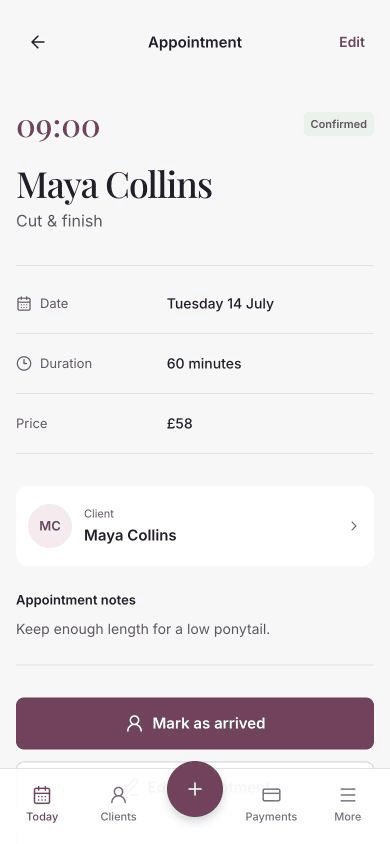
- Confirmed — the appointment is booked and has not started.
- Arrived — the client has arrived for the appointment.
- Completed — the service has finished.
- Cancelled — the appointment will not take place.
Mark the client as arrived
- Open the confirmed appointment from Today.
- Choose Mark as arrived.
The appointment status changes from Confirmed to Arrived.
Complete the appointment
Open an arrived appointment and choose Complete appointment.
The status changes to Completed and the visit remains in the client’s appointment history.
Completing an appointment does not take or record payment automatically. Use Take payment separately when money is still due.
Cancel instead
Use Cancel appointment when the visit will not take place. If a payment or online booking deposit is attached, Chairful requires it to be refunded before cancellation.
Learn how to edit, reschedule or cancel an appointment.
If the status does not update
Check the message shown on the appointment and try again. The appointment may have changed on another device, or Chairful may be temporarily unable to reach the server.
Return to Today and reopen the appointment to check its current status before repeating the action.