Add appointments that you arrange in person, by phone or through a message so the diary and online availability stay accurate.
Start a new appointment
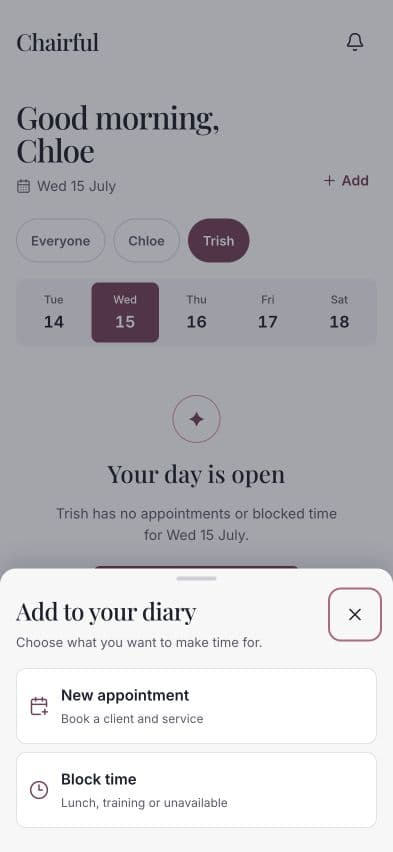
- Open Today.
- Move to the date you need.
- Choose Add.
- Choose New appointment.
Complete the appointment
Choose:
- Team member — the person providing the service.
- Client — an existing client, or choose + Add new.
- Service — an active service, or choose + Add new.
- Date and Start time.
- Notes — optional information useful for this appointment.
The selected service supplies the appointment duration, so check that the service is set up correctly.
Choose Create appointment when everything is ready.
Add a client or service without leaving
Use + Add new beside Client or Service if the record does not exist yet. Chairful creates the new record and selects it for the appointment.
For a client, add their name and an optional phone number. For a service, add its name, duration and price.
Check the diary
After saving, the appointment appears on the selected date. If you have more than one bookable team member, use the team filters to view everyone or one person.
Choose the appointment to:
- Review its date, time, service and client.
- Change its status.
- Edit the details.
- Take or record a payment.
Learn how to edit, reschedule or cancel an appointment
If the appointment cannot be saved
Make sure a team member, client and service have all been selected. The service must have a valid duration, and the chosen time cannot conflict with an existing appointment or blocked time.