Client records keep contact details, useful notes and appointment history together.
Add a client
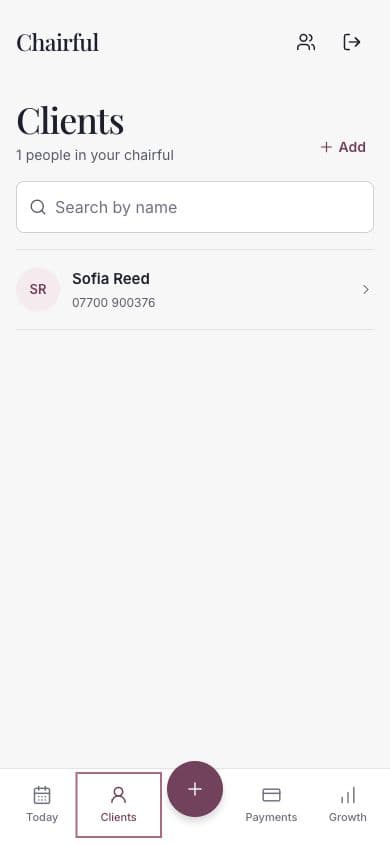
- Open Clients from the main navigation.
- Choose Add.
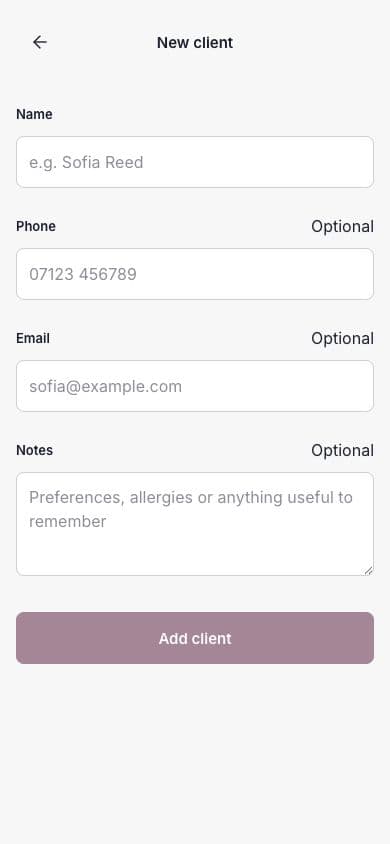
- Enter the client’s name.
- Add their phone number, email address and notes where useful.
- Choose Add client.
Only the name is required. Chairful adds the UK country code to a phone number entered in the usual local format.
Write useful notes
Client notes can hold details worth remembering for future visits, such as preferences, allergies or other relevant information.
Keep notes relevant to providing the service. Avoid recording unnecessary sensitive information.
Open a client record
Choose a client from the list. Their profile can show:
- Phone and email actions.
- Client notes.
- Loyalty progress, when enabled.
- Upcoming appointments.
- Visit history and recorded payment states.
You can also start a new appointment directly from the client profile.
Update a client
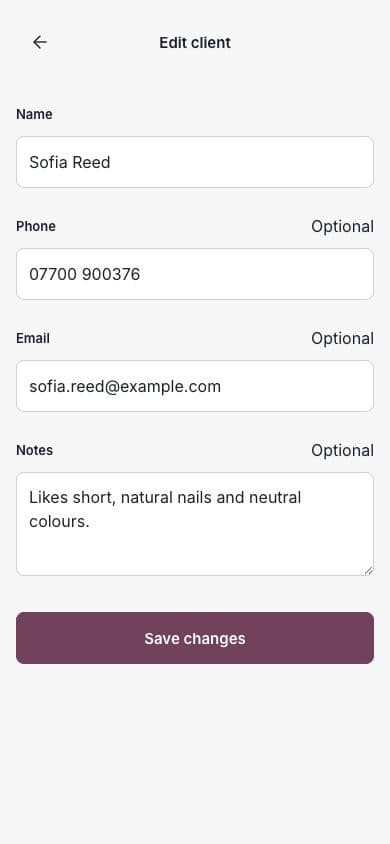
- Open the client record.
- Choose Edit.
- Change the relevant contact details or notes.
- Choose Save changes.
Find a client quickly
Use Search by name at the top of the Clients screen. Clear the search to return to the full list.