The Payments screen brings together money received through Stripe, upcoming bank payouts and secure payment-account management.
Only the business owner can view balances, payouts and bank details.
Understand the balances
Open Payments in the main navigation.
The balance summary shows:
- Available to pay out — money that can be included in an eligible bank payout.
- Processing with Stripe — recent money that is not available for payout yet. Chairful may show the amount received and Stripe fees separately.
- Next bank payout — the amount and expected arrival date of the next scheduled payout, when one is available.
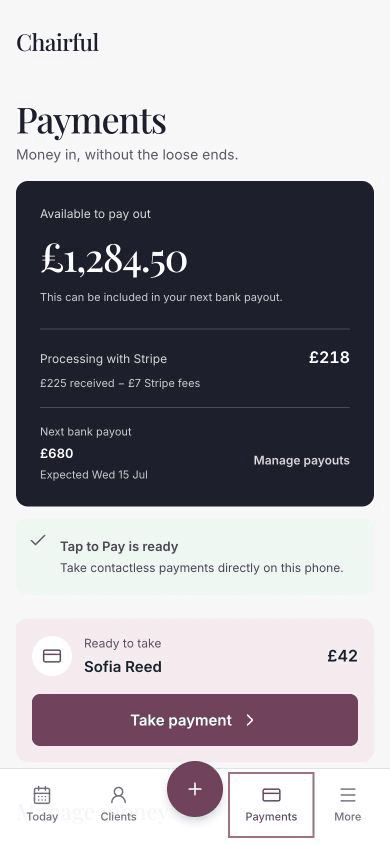
Stripe controls when processing money becomes available. Weekends, bank holidays, account checks and payout settings can affect arrival dates.
Open payout management
Choose Manage payouts in the balance summary.
You can also open Manage money and choose Payouts.
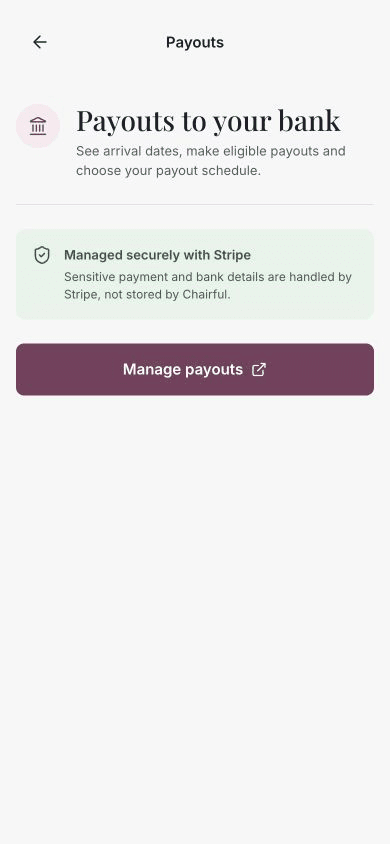
Chairful opens secure Stripe management where you can:
- Review payout arrival dates and status.
- Make an eligible payout when that option is available.
- Choose or review the payout schedule.
Review payments and disputes
Under Manage money, choose Payments to open Stripe payment activity.
Use this area to review card payments, refunds and disputes. Follow any Stripe request for evidence or information by the deadline shown.
Update bank or business details
Under Manage money, choose Payment account.
Use the secure Stripe controls to update the payout bank account, business details or verification information. Sensitive bank and identity details are handled by Stripe and are not stored by Chairful.
If payouts are unavailable
Check that:
- Stripe setup has been completed.
- The payment account does not show outstanding requirements.
- Payouts are enabled on the Stripe account.
- You are signed in as the business owner.
- You are using the latest version of Chairful.
Money may still be processing even when the account is fully set up. Check the expected payout information again after Stripe finishes processing it.