Your booking profile is the public page clients use to choose a service, select a professional and book an available time.
Open your booking profile
Choose More, then Online booking.
At the top of the page, Chairful checks whether you have:
- At least one active service.
- At least one active person available for bookings.
- Working hours for that person.
Choose an unfinished step to go directly to the relevant setup area.
Choose your profile details
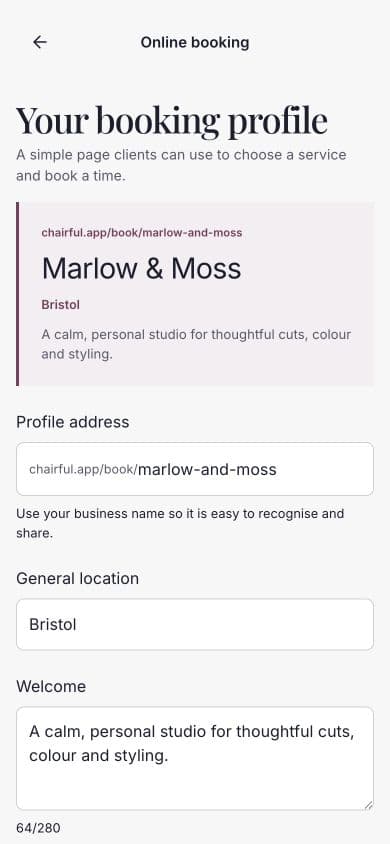
Complete the following fields:
- Profile address — use your business name so the link is easy to recognise.
- General location — for example, Bristol.
- Welcome — a short introduction for your clients, up to 280 characters.
Your public address will use the format:
chairful.app/book/your-business-name
Set booking preferences
Open Booking preferences to choose:
- The minimum notice required before an appointment.
- How far into the future clients can book.
- Whether to send a 24-hour text reminder.
Text reminders use one SMS credit for each reminder sent.
Publish the profile
When the readiness checklist is complete:
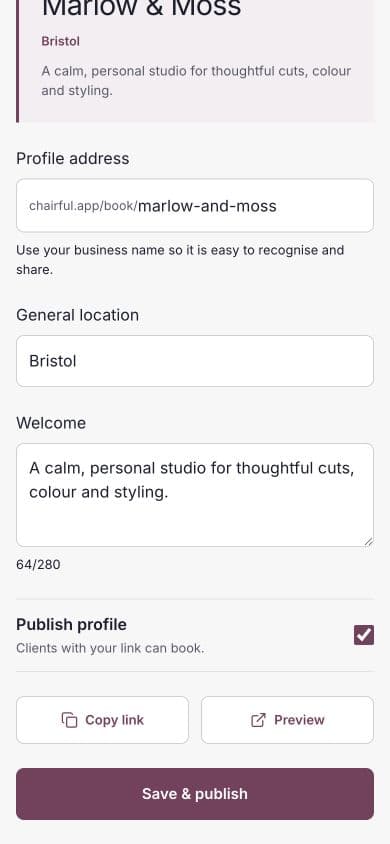
- Turn on Publish profile.
- Choose Save & publish.
- Wait for the confirmation that the profile was published.
The copy and preview actions appear when the live profile has been saved without outstanding changes.
Preview and share
Choose Preview to open the public booking journey. Check the service list, team members and available times.
Choose Copy link when you are ready to share it. Good places for the link include your website, social profile and saved replies to availability questions.
If clients cannot book
Return to the readiness checklist and confirm that all three essentials are complete. Also check that:
- The required service is active.
- The relevant team member is active and bookable.
- Their working hours cover the expected time.
- The time is not occupied by an appointment or blocked time.
- Your profile is still published.