Services tell Chairful what clients can book, how long each appointment takes and what it costs.
Open your services
- Choose More in the main navigation.
- Choose Services under Your business.
- Choose Add in the top-right corner.
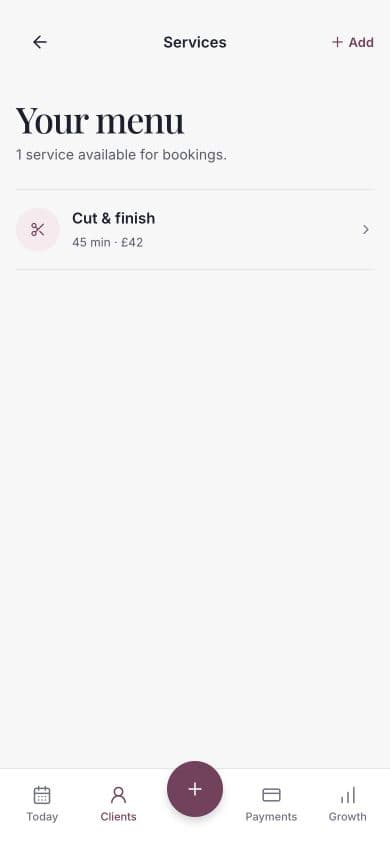
Add a service
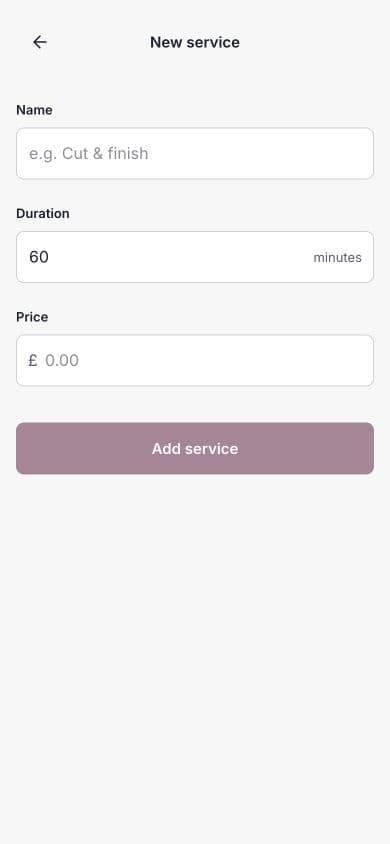
Enter:
- Name — use wording clients will recognise.
- Duration — the time Chairful should reserve in the diary.
- Price — the full service price in pounds.
- Booking deposit — choose no deposit, a fixed amount or a percentage of the price.
If you add a deposit, clients pay it securely when they book online. A fixed deposit must be lower than the service price; a percentage must be between 1% and 99%.
Choose Add service when the details are complete.
Edit a service
- Open More → Services.
- Choose the service you want to change.
- Update its name, duration, price or deposit.
- Choose Save changes.
Changes affect future bookings. Existing appointments keep the service details recorded when they were booked.
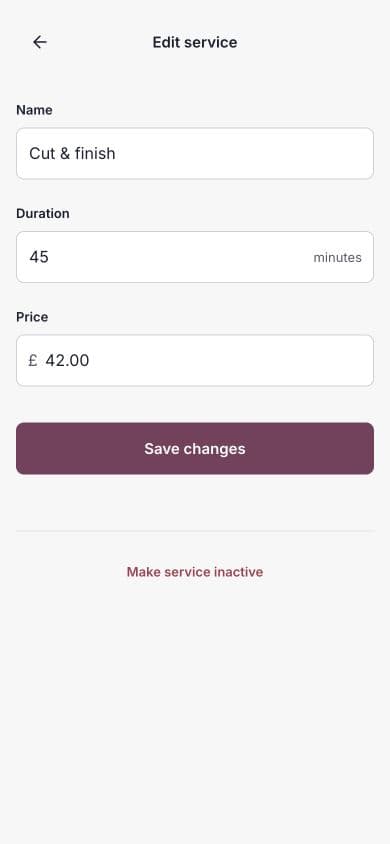
Make a service inactive
Open the service and choose Make service inactive. Confirm the change when Chairful asks.
An inactive service:
- Cannot be selected for a new booking.
- Remains attached to existing appointments.
- Can be made active again later.
This is usually better than renaming an old service into something unrelated, because past appointments remain easier to understand.
If a service does not appear online
Check that:
- The service is active.
- At least one active, bookable team member can provide it.
- That team member has working hours.
- Your booking profile is published.